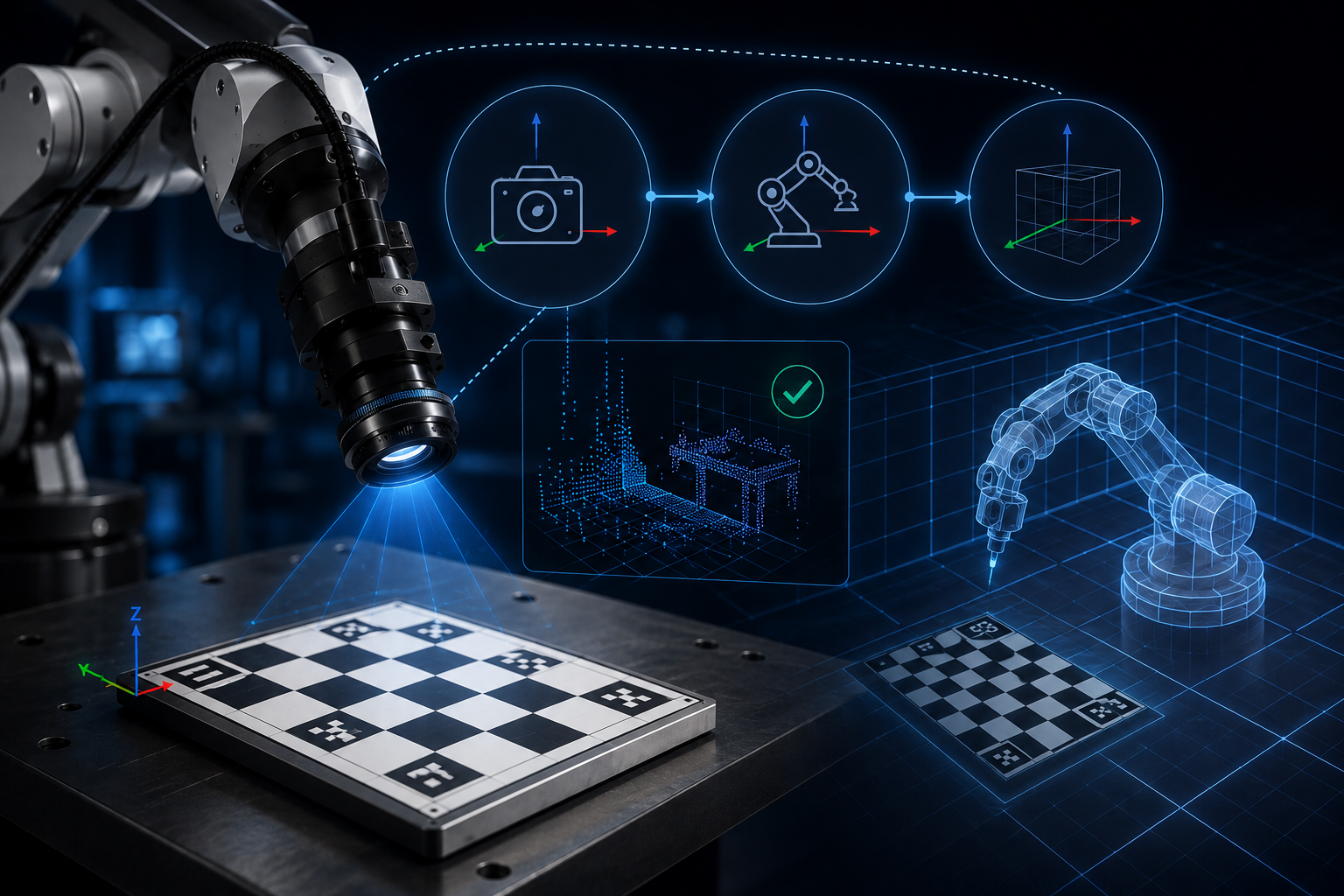
We built a real robot arm, calibrated it from scratch, and wrote down the steps that made the system trustworthy enough to build on.
Anyone who has moved a robotics policy from simulation to hardware knows the feeling. The demo looks clean in the simulator; on the real robot, the gripper misses by a few centimetres. The first instinct is usually to blame the model.
Sometimes the model is the problem. More often, it is being asked to compensate for bad geometry. The camera, the robot, and the simulator each have their own idea of where things are. If nobody connects those frames properly, every detection and pose estimate carries an offset that quietly moves through the whole pipeline.
This series is about fixing that layer first. Not with a bigger model. With calibration.
THE GAP RUNS BOTH WAYS
Real-to-Sim-to-Real, Not Just Sim-to-Real
Most robotics content talks about sim-to-real: train in simulation, deploy on a real robot, then deal with the performance drop. In that story, calibration can sound like an end-of-pipeline patch.
Our work starts one step earlier. Teams are increasingly building simulations from real spaces and real robots first: scan the workspace, create a digital twin, refine inside that world, and then return to hardware. Real-to-sim-to-real.
If the geometry is wrong on the way into simulation, the digital twin is already wrong. Training and evaluation may still produce clean numbers, but those numbers are built on a shifted world.
The sharper claim: calibration does not just help you come back from simulation. It decides whether the simulation you built from reality was trustworthy in the first place.
TWO KINDS OF GAP
This Series Owns One of Them
The reality gap has two pieces that often get mixed together. Both make the robot behave differently than expected, but they come from different causes.
| Geometric / Perception Gap Camera frames, robot frames, and simulation frames are misaligned. Calibration fixes this part of the stack. THIS SERIES | Dynamics / Physics Gap Actuator latency, contact physics, friction, compliance. Real and important – but a different problem. FUTURE SERIES |
This series is about the geometric and perception gap. The dynamics gap – latency, friction, compliance, contact – deserves its own treatment, and that is a future chapter.
THREE FRAMES, ONE LANGUAGE
How the Series Closes the Chain
The system is easier to reason about as a chain: camera → robot → simulator. A camera pixel becomes useful only when it can be traced into the robot’s world and then into the simulated one. Each post closes one link in that chain.
| Part | What It Closes | Verified By | Status |
| 1. ChArUco Camera Calibration | Makes the camera a real measurement tool, not just a sensor | Reprojection error – you watch the number drop | ✓ Published Read post |
| 2. Hand-Eye Calibration | Turns camera detections into robot-ready coordinates | Actual robot motion – tested on a real SO-101 arm | ✓ Published Read post |
| 3. Extrinsic Parameters | Places camera, robot, and simulation in one shared world frame | Real-sim geometric comparison – closes the full loop | Coming Soon |
PART 1 Making the Camera a Measurement Tool ■ Read post ✓ Published
A camera captures light; it does not automatically know distance, angle, or real-world units. ChArUco calibration gives it that measuring ability by estimating focal length, principal point, and lens distortion.
We used ChArUco because it is practical on real hardware. A plain chessboard works when every corner is cleanly visible. A ChArUco board is more forgiving when the wrist camera sees the board at an angle or loses part of it at the edge of the frame.
The check is reprojection error: how far the predicted board corners are from the detected corners in the image. When that number drops, the intrinsics are improving. The result is two small files – camera_matrix.npy and dist_coeffs.npy – that every later step depends on.
Why it matters: bad intrinsics rarely look dramatic on screen. They show up later as small, stubborn offsets in hand-eye calibration, simulation alignment, and robot motion.
PART 2 Making the Camera Useful to the Robot ■ Read post ✓ Published
Good intrinsics tell us where something is relative to the camera. The robot still cannot use that directly, because it moves in its own base frame. Hand-eye calibration estimates the fixed transform between the wrist-mounted camera and the gripper.
We did this on a real SO-101 arm. It was not a clean one-shot recipe: we compared solver methods, checked consistency, and debugged cases where the numbers looked plausible but the robot motion exposed the error. That practical iteration is the point of the post.
Camera detection → hand-eye transform → robot base coordinate → motion target
Why it matters: before hand-eye calibration, the camera can see. After it, the robot can use what the camera sees. The bridge is one file: T_gripper_camera.npy.
PART 3 Closing the Loop with Extrinsic Parameters Coming Soon
Intrinsics answer: how does the camera see? Hand-eye answers: where is the wrist camera relative to the robot? Extrinsics answer the larger question: where are the camera, robot, target, and simulated scene relative to one another?
This is the step that closes the real-to-sim-to-real loop. A simulator can have the right robot model and the right intrinsics and still be wrong if the camera or world frame is placed differently from reality.
Part 3 completes the calibration chain: camera measured, robot connected, world aligned. That is the foundation a serious real-to-sim-to-real pipeline is built on.
THE BIGGER PICTURE
Why the Failures Lie to You
Calibration does not usually appear in benchmark charts, but it is often the reason one robotics pipeline is repeatable and another one is not.
The hard part is that calibration problems tend to wear other people’s clothes:
| A bad grasp | looks like a grasping problem – root cause: frame misalignment |
| A sim-to-real gap | looks like a policy problem – root cause: geometry was never aligned |
| A missed target | looks like a detection problem – root cause: wrong intrinsics upstream |
We built and tested this on a real robot arm, with a real camera, in a real workspace. The errors were visible, the fixes were measurable, and the lesson was simple: before a robot can learn from space, the stack has to agree on what space means.
Robots don’t operate in pixels. They operate in space.
Calibration is what connects those worlds.
| PART 1 · PUBLISHED ChArUco Camera Calibration Read Part 1 | PART 2 · PUBLISHED Hand-Eye Calibration Read Part 2 | PART 3 · COMING SOON Extrinsic Parameters |
Parts 1 and 2 are live now. Subscribe or follow to catch Part 3 – Extrinsic Parameters – when it publishes.