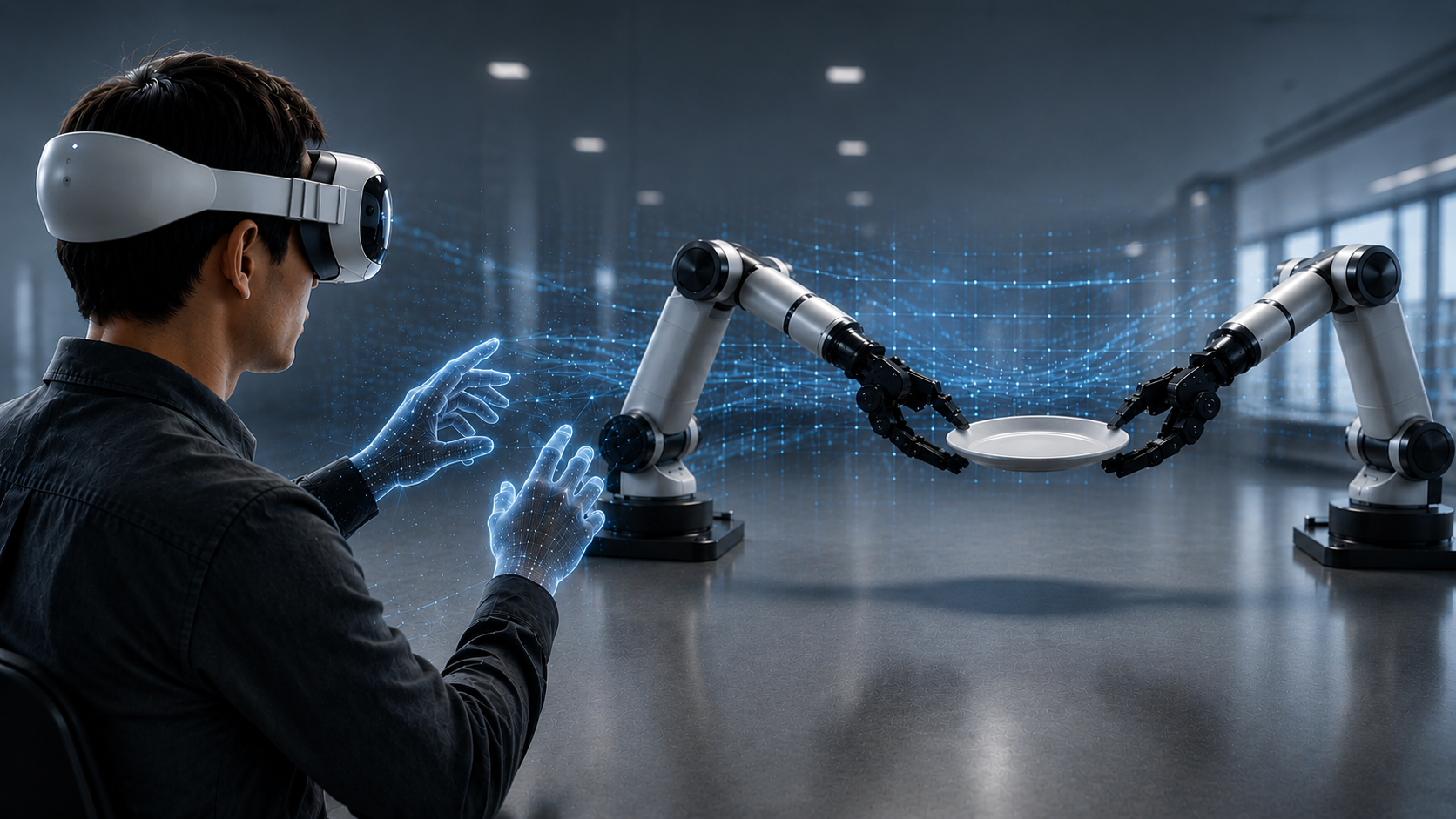
Where We Started
The Hardware Ceiling We Hit Early
Building a robot training pipeline from scratch means confronting the data problem early. For robots to learn a task reliably, they need many demonstrations — not ten, not twenty, but enough to cover the variation in how that task gets performed across different configurations and conditions. For most teams, that means physical hardware, a prepared environment, an operator with time and consistency, and the patience to do it repeatedly.
We hit that ceiling quickly. The hardware constraint alone — needing a physical robot present for every collection session — meant that scaling the dataset was directly tied to scaling physical infrastructure. That is a slow way to build. So we asked whether the robot needed to be physical at all, and built our pipeline around the answer.
The Foundation
Demonstrating Robot Tasks Without a Physical Robot
The core of our approach is NVIDIA Isaac Sim — a physics-accurate simulation platform built on the USD standard, modelling robot kinematics, contact forces, and object interactions in a virtual environment. Paired with Isaac Lab, NVIDIA’s framework for robot learning workflows, it gives us a structured environment for collecting, managing, and formatting demonstration data for downstream policy training.
In our setup, an operator controls a simulated AgileX Piper — a lightweight 6-DOF manipulation arm designed for research — inside this environment. Every movement is recorded: joint positions, arm orientation, gripper state, object interaction. The output is structured training data formatted and ready for policy training.
Simulation data is not identical to data collected on a physical robot. The gap between simulation and hardware is real, and closing it requires deliberate work — physics tuning, domain randomization, and careful validation that simulated behaviour reflects what the real arm actually does. We cover what that took in practice in the lessons section below.
What simulation does offer is something physical collection cannot: the ability to reset an environment in seconds, vary conditions without moving hardware, and build dataset diversity at a pace that physical setups cannot match. That is what made it the right foundation for us.
The Evolution
How We Got to the Right Control Interface
The quality of demonstration data is inseparable from the quality of the control interface. How an operator interacts with a simulated robot determines what gets recorded — and whether that data is rich enough to train a generalizable policy. We went through three approaches before arriving at the one we use today.
Keys map to robot directions or joints. Simple to set up. But key presses generate step-function velocity profiles — hard starts and stops that no real human movement produces. A policy trained on that data learns transitions that do not exist in real task execution.
A program drives the robot using object positions from the simulation. Consistent, but the trajectories reflect a programmer’s model of the task, not human intent. Scripted data clusters around one narrow behavioural mode and lacks the variation a policy needs.
The operator moves their hands in physical space — the robot’s end effectors follow in simulation. The data reflects genuine human motor behaviour: variation in approach angles, grasp strategies, and mid-motion correction that scripted data structurally cannot produce.
The Controller
Two Hands. Two Robot Arms. Apple Vision Pro.
In our implementation, we use both of the operator’s hands simultaneously — each controlling a separate AgileX Piper arm in simulation. The left hand controls the left robot arm, the right hand controls the right. As the operator moves through a task — reaching, grasping, transferring objects between arms — both robots respond in real time, mirroring the bimanual coordination that many real-world manipulation tasks require.
The interface is Apple Vision Pro, connected to the simulation through Isaac Lab’s CloudXR integration. The infrastructure involves a GPU workstation running the CloudXR Runtime in a Docker container, streaming the simulation to the headset over a dedicated Wifi 6 network. Once that is in place, the operator experience is straightforward: put on the headset, see the simulation, use your hands. Apple Vision Pro’s built-in optical hand tracking handles pose detection without any additional peripheral hardware or per-session calibration on the operator’s side.
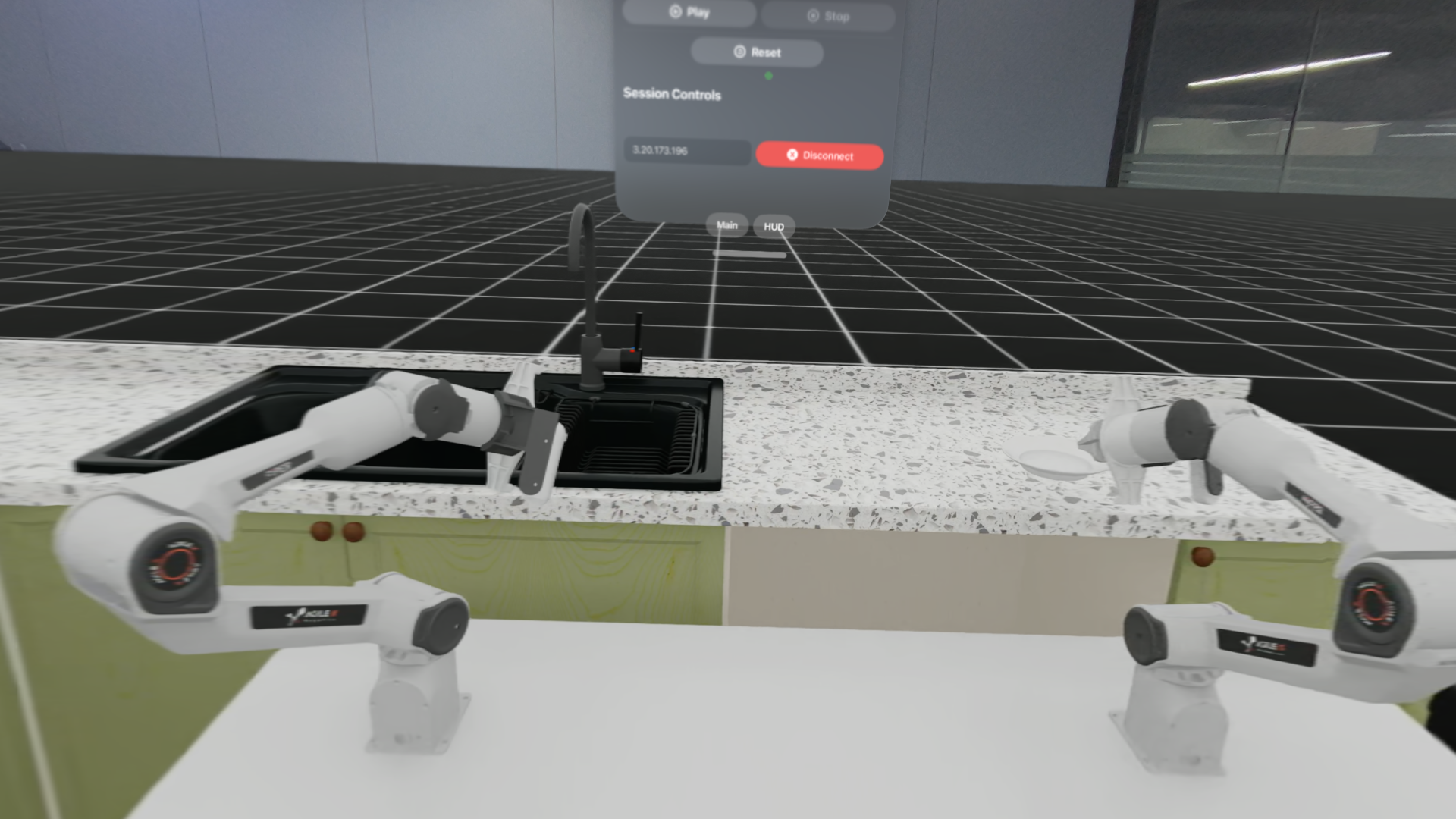
In our demonstration, one robot picks up a plate from a kitchen table while the other waits to receive it. The first arm reaches, grasps, and hands the plate across — the second arm accepts it and places it into a sink. It is a task that requires timing, spatial awareness, and coordination between two independent agents — exactly the kind of scenario that is difficult to script but natural to demonstrate with two hands.
This matters beyond the technical setup. Bimanual demonstration data has historically been one of the harder collection challenges in robotics — it requires synchronizing two physical robots with two operators, or building custom dual-arm hardware. Our simulation setup makes it as natural as using your hands.
How It Works
A Teleoperation Session, From Start to Finish
The workflow keeps the operator focused on the task and the data pipeline running without interruption. Here is how a session unfolds.
The virtual workspace is set up in Isaac Sim — the two robot arms loaded, task objects placed, and physical properties configured. The scene can be saved and replicated exactly across sessions.
With the CloudXR Runtime running on the workstation and the Isaac XR Teleop client installed on the headset, the operator connects by entering the workstation’s IP address and pressing Play. Hand tracking initializes automatically through Apple Vision Pro’s built-in optical tracking — no per-session peripheral calibration required once the infrastructure is set up.
The operator performs the task naturally — reaching, grasping, transferring, placing — using both hands. The two robot arms follow in real time. The physics are configured to behave consistently with the real hardware.
Throughout the demonstration, Isaac Lab records every relevant data point — arm positions, joint states, gripper actions, object states — at each timestep. The output feeds directly into downstream annotation and model training without additional processing.
When an episode ends, the environment resets instantly. No hardware to move, no physical environment to restore. A single operator can generate substantially more demonstrations per session than would be possible with physical hardware, across varied environment configurations.
From Demonstration to Training Data
How One Human Demonstration Becomes Hundreds of Training Examples
Collecting demonstrations is only the first step. What happens to that data afterward is where the scalability of the pipeline becomes real.
Once an operator completes a session, the recorded data is annotated at the subtask level — marking key transition points within a demonstration, such as when a grasp is complete or a handoff begins, rather than labelling every frame. This structured annotation is what the data generation system uses to multiply demonstrations across new scene configurations. If you want to go deeper on the annotation process and where it goes wrong, we cover it in detail in our annotation bottleneck post.
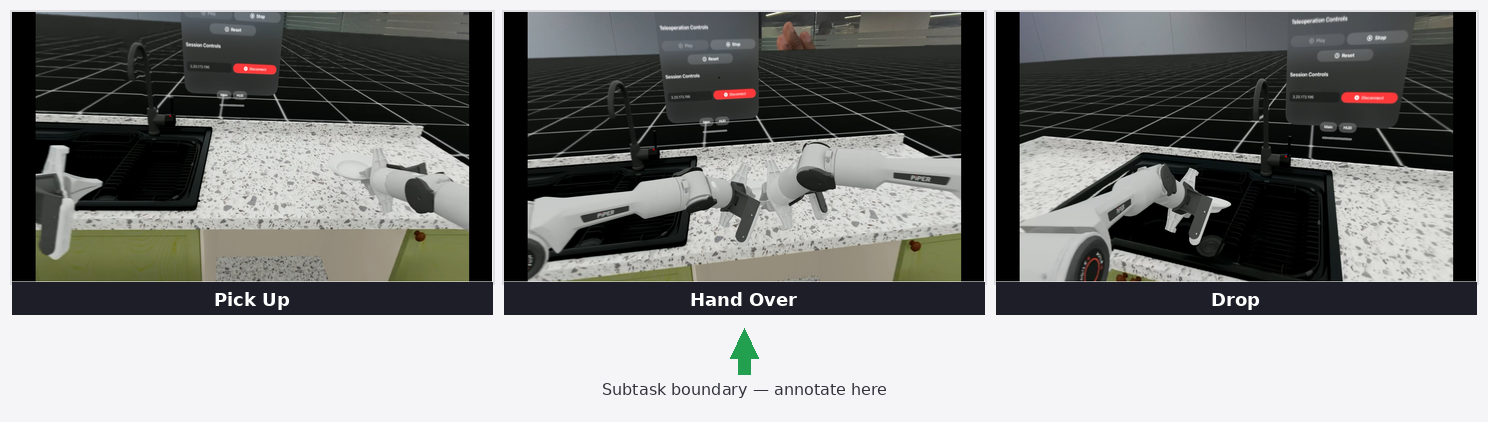
From a small number of source demonstrations — in our current work, in the range of ten to twenty teleoperated episodes — Isaac Mimic generates over a thousand synthetic trajectory variations automatically: different object placements, approach angles, and starting configurations, all grounded in the original human demonstrations. The ratio is not fixed; it is tuned to the task and the diversity requirements of the dataset.
On top of that, we use Cosmos Transfer to add photorealistic visual variation to the synthetic dataset. Cosmos Transfer takes the rendered simulation video and generates realistic variations of it — changing lighting conditions, surface materials, and environmental appearance — while preserving the underlying robot motion and scene structure. This is distinct from simulation-level domain randomization: it operates on the video output of the simulation rather than on its parameters, and the visual fidelity of the results is substantially higher. The goal is a policy that focuses on task structure rather than memorizing the appearance of one specific simulated setup.
The result is a dataset generated entirely inside simulation, grounded in genuine human demonstrations, and visually diverse enough to support robust policy training. Because the pipeline lives in software, it can be expanded, re-run for a new task, or rebuilt with different parameters without touching any physical hardware.
What Was Hard
Lessons From the Build — Where We Hit Friction and How We Resolved It
Getting this pipeline to produce clean, usable data took more iteration than expected. Here are the three specific problems we hit and what it actually took to resolve them.
Treating the noise as something the policy would learn to ignore during training. It did not work — the high-frequency artifacts were consistent enough that the policy began to replicate them rather than discount them.
Moving the filter upstream: a rolling-window smoothing pass applied to the raw hand pose data before it reaches the simulation. The result is substantially cleaner trajectories with minimal impact on operator responsiveness — the trade-off between smoothness and latency is real, but at the window sizes we use, it is not perceptible in practice.
Connecting Vision Pro to the simulation revealed an immediate axis convention conflict. Isaac Sim’s world frame uses a Z-up, X-forward right-handed convention. ARKit — the tracking framework underlying Vision Pro’s hand tracking — uses a Y-up, −Z forward right-handed convention. That mismatch meant hand movements in the headset were driving the robot in the wrong directions from the first moment we connected.
Beyond the axis remapping, two additional mismatches compounded the problem: the scale of hand movement in headset space did not map naturally to the robot’s range of motion, and rotational control response was too aggressive, causing oscillation at the end effector.
Applying a single uniform scale factor across all axes for position control. It produced natural movement on some axes and cramped or overextended movement on others — the robot’s useful range of motion is not symmetric.
Three coordinated adjustments: an explicit axis remapping to convert incoming AVP poses into Isaac Sim’s world frame; per-axis scale calibration for position control, with the vertical axis requiring significantly more range than the lateral ones to cover natural reach; and reduced rotational sensitivity to eliminate oscillation. These values are specific to our setup and operator — a different arm, task, or working style will require its own calibration pass.
Out of the box, the simulated AgileX Piper did not behave like the real hardware. Grasps were slipping on contact and the arm’s dynamic response felt wrong compared to the physical robot. The defaults are reasonable starting points for a generic simulation setup, but they are not calibrated for a specific arm, gripper, and task.
It is worth being precise about what each set of parameters actually controls, because they address different problems:
Govern how objects interact at the point of contact — grasp stability and surface response. Default values produced insufficient grip on our task objects.
Govern how the arm’s joints respond to commanded positions. Default values produced overly stiff, sluggish arm response that did not match the physical hardware’s feel.
| Parameter | Type | Start | Final |
|---|---|---|---|
| Friction coefficient | contact | 0.2 | 0.5 |
| Joint damping | joint drive | 200 | 80 |
| Joint stiffness | joint drive | 1000 | 400 |
| Rotation scale | control mapping | 10.0 | 5.0 |
| Position scale (X, Y, Z) | control mapping | 4.0 (uniform) | [6.0, 21.0, 6.0] |
Neither set of changes alone was sufficient. It took adjusting contact and joint drive parameters in parallel, with the physical arm’s behaviour as the reference, before the simulation felt trustworthy enough to collect data worth training on. These values are specific to our hardware and task — there is no general prescription here.
The Bigger Picture
From Simulation to the Real World — and What It Means at Scale
The natural question after any simulation-first pipeline is: does it work on a physical robot? It is the right question, and the answer is not automatic. Contact models, friction, actuator dynamics, and visual appearance all differ between simulation and hardware in ways that affect how a trained policy behaves when it leaves the simulation. This is the sim-to-real gap, and it does not close on its own.
What the pipeline is designed to do is reduce that gap on multiple fronts. Physics tuning makes the simulation reflect our specific hardware more accurately — the joint drive and contact parameters we calibrated are directly targeting this. Isaac Mimic’s trajectory generation exposes the policy to a wide range of starting configurations, reducing overfitting to any single scenario. Cosmos Transfer addresses the visual dimension: by generating photorealistic variations of the simulation video, it reduces dependence on simulation-specific visual appearance. None of these eliminate the gap entirely — that is an honest statement about simulation-to-hardware transfer broadly, not just our pipeline. Together they make the trained policy substantially more robust to the differences it will encounter on hardware.
For teams investing in robot AI at scale, the practical case for this approach is the ratio of operator time to usable data. Physical collection is bounded by how many robots you have, how much space you can prepare, and how many hours operators can maintain consistency. A simulation-first pipeline removes the hardware dependency. Operators do not need to be co-located with robots. Environments that do not yet exist physically can be built and used for training today. And with Isaac Mimic amplifying each human demonstration, the yield per operator hour is substantially better than physical-only approaches allow.
What This Means
Why Fireloop Is Building This Way
The cost of robot training data has historically been one of the biggest barriers to scaling robot AI. Physical hardware, prepared environments, skilled operators, time — these compound every time you need to expand a dataset or attempt a new task.
What we have built is a pipeline that makes that constraint meaningfully smaller. Not gone — the sim-to-real gap is real, the annotation step requires judgment, and physics calibration takes iteration. But the ceiling is higher and the scaling path is clearer than physical-only approaches allow. A simulation-first pipeline with a spatial computing interface can produce training data that is richer, more diverse, and collected faster — and because it lives in software, adding environments, tasks, or operators does not require a proportional increase in hardware.
What we are still working on is how simulation and real-world data interact in VLA training — specifically how to combine the scale of synthetic demonstrations with the fidelity of physical captures in a way that benefits policy performance. We will share more on that as the work develops.
The next part of this pipeline — and where data quality can silently break before it ever reaches a model — is annotation. We cover that in detail in our annotation bottleneck post.